
With this OvrC release, you can give your clients the ability to manage Wi-Fi access of other users at their location, either manually or on a schedule, all from OvrC Home. You can also provide clients the ability to filter web content at a location, but this feature is in its final BETA phases.
When you enable this feature, it gives your clients the ability to group any number of wireless clients into a “profile” and the ability to revoke/grant Wi-Fi access to those associated devices, either ad hoc or on a pre-determined schedule from OvrC Home. This gives clients much more control over how Internet is being used at their location.
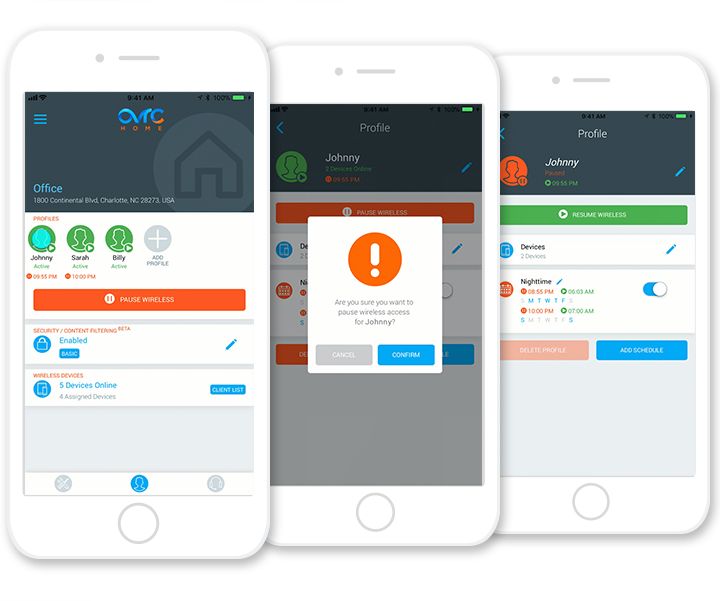
In the residential scenario, the perfect use case for this is giving parents more control over their children’s access to the Internet. As an example, your client can revoke Wi-Fi access to his kids’ tablet after 9pm to ensure he’s going to bed.
Since OvrC is natively integrated to Araknis access points, we leverage an embedded feature of the access points called Mac Filtering. When you “pause” Internet for a device, OvrC modifies the mac filtering table for the associated access points at the location.
As we use the native technologies built into the Araknis access points, this feature requires the use of Araknis access points using the latest firmware at the location. This is backwards compatible to any model of Araknis access points. This also means that wired and cellular connections cannot be controlled at this time.
Great news! Since we support this feature on all generations of the Araknis access points, you can set this up and deploy it for existing and new clients from OvrC, all without having to roll a truck. If they already are using OvrC Home, just have them log out and back in to see the latest features that you enabled. To learn more about how to set this up, watch the step-by-step video below.
With holidays coming up, this would be a great service that you could send them as a thank you for being a loyal customer and continue to add value as their go-to technology professional.
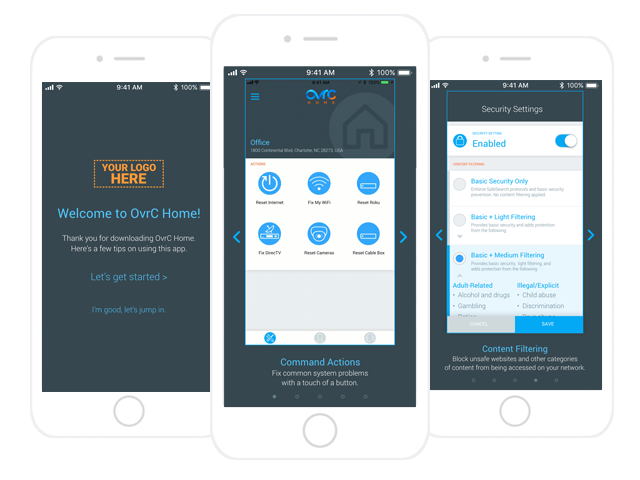
To make it even easier for you, we’ve built-in some self-help content in the app for clients to get a quick preview of what they could do with the new features.
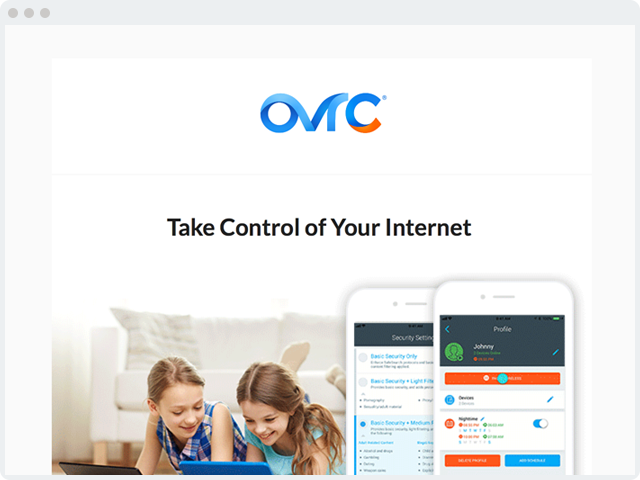
We’ve also created a templated email with hi-res graphics that you can use in your communication to the client. You can find the email template here.
There is no catch. This is a value-added feature we’ve added to our access points so that you may be able to deliver more value to your clients. No additional hardware or licensing required. Happy holidays!
This feature gives your clients that ability to filter out and block select URLs from being accessed at their location. They are able to select one of four levels that range from just blocking malicious URLs all the way up to very stringent filters.
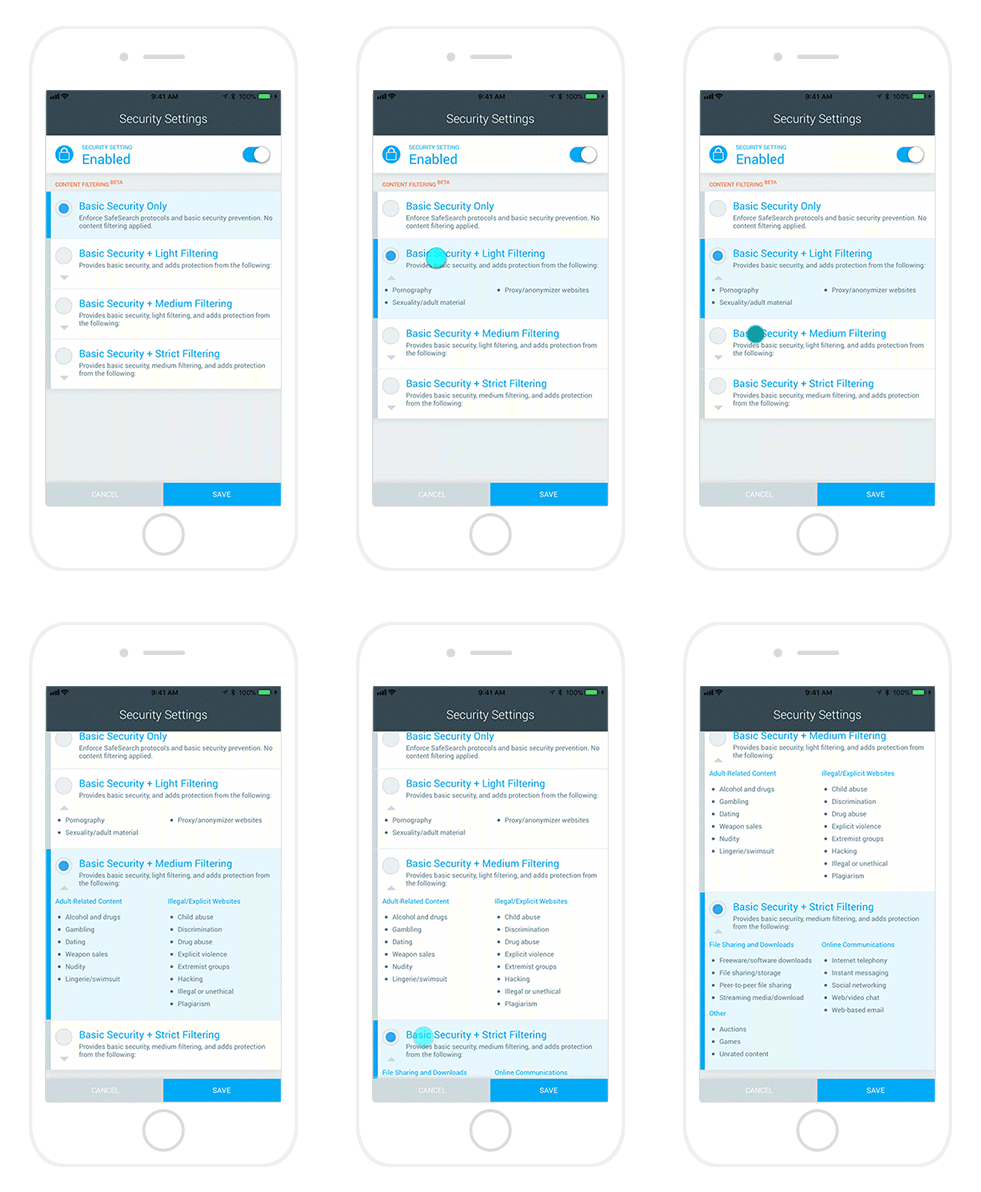
This feature does require the use of Araknis routers as we are leveraging the native capabilities to make changes in the configurations. This feature is in its final stages of BETA, so we encourage you to test the feature and provide feedback at [email protected]. Thanks!