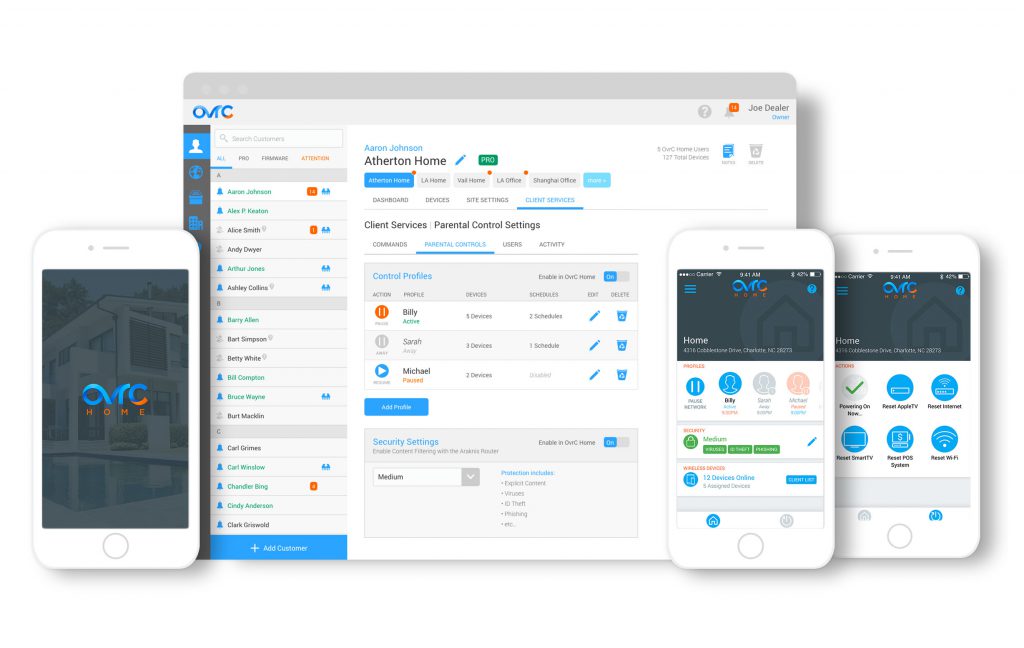
Celebrating a year since the launch of OvrC Pro, this major update on 9/12/17 provides dealers with enhanced product integrations and advanced ways to access devices. In addition, we are launching a BETA program for Parental Controls capabilities via OvrC Home. Learn how to sign up.
Over the past year, we have continually added new product integrations and features to OvrC Pro, but most of that was only accessible in the local UI of the Hub. With this update, almost all capabilities will be natively accessible to dealers in OvrC desktop and mobile.
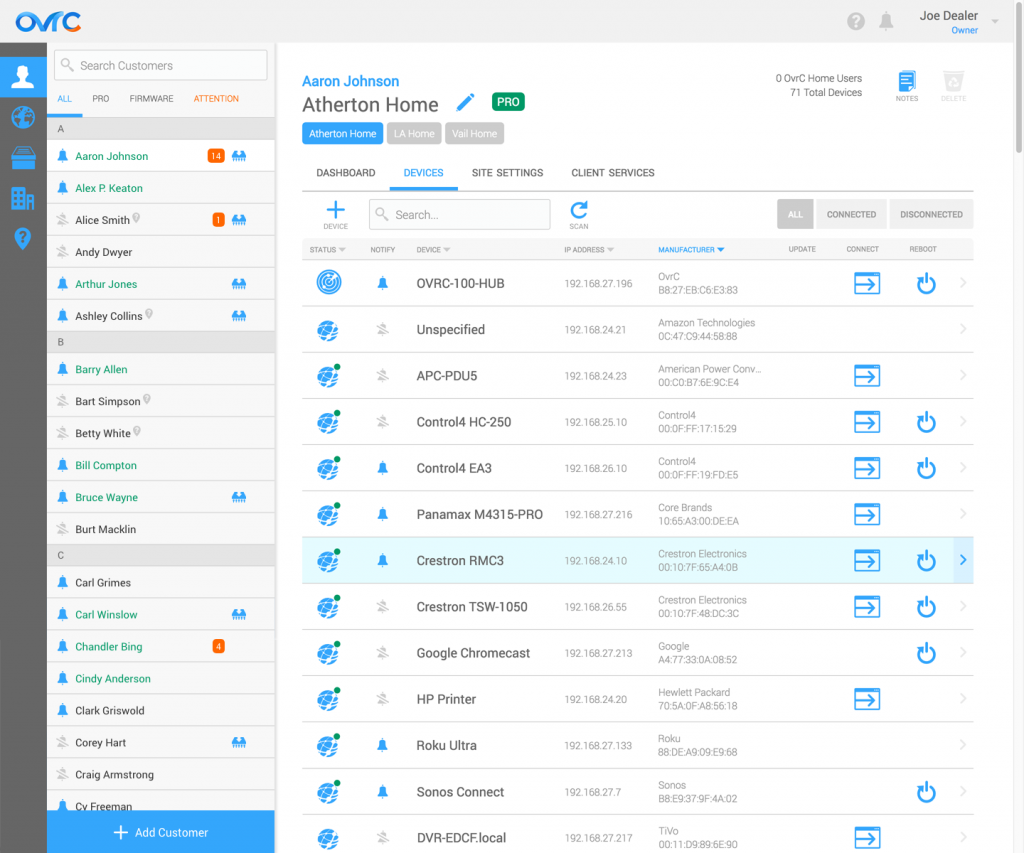
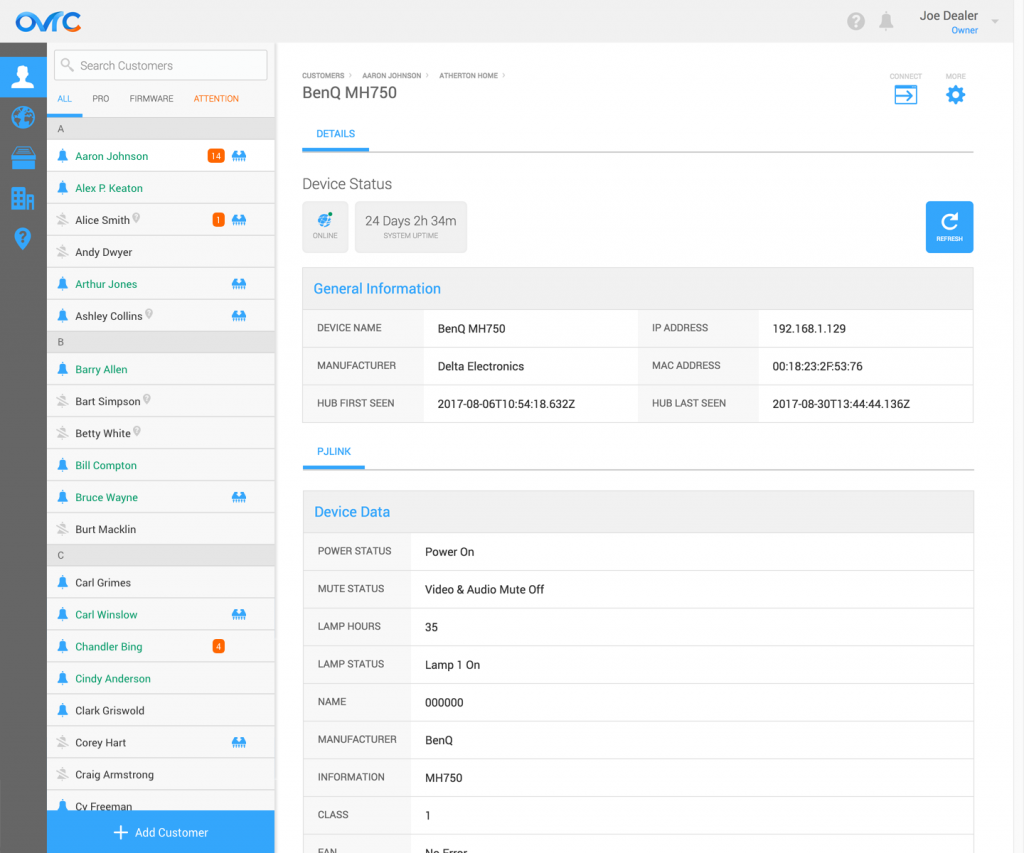
Non-SnapAV products now have their own device detail pages, like that of SnapAV products. All products include Device Status and General Information, but if they have more advanced integrations, the device icon will have a green dot next to the icon on the Device List and the additional info will show up as various tabs under the General Information table.
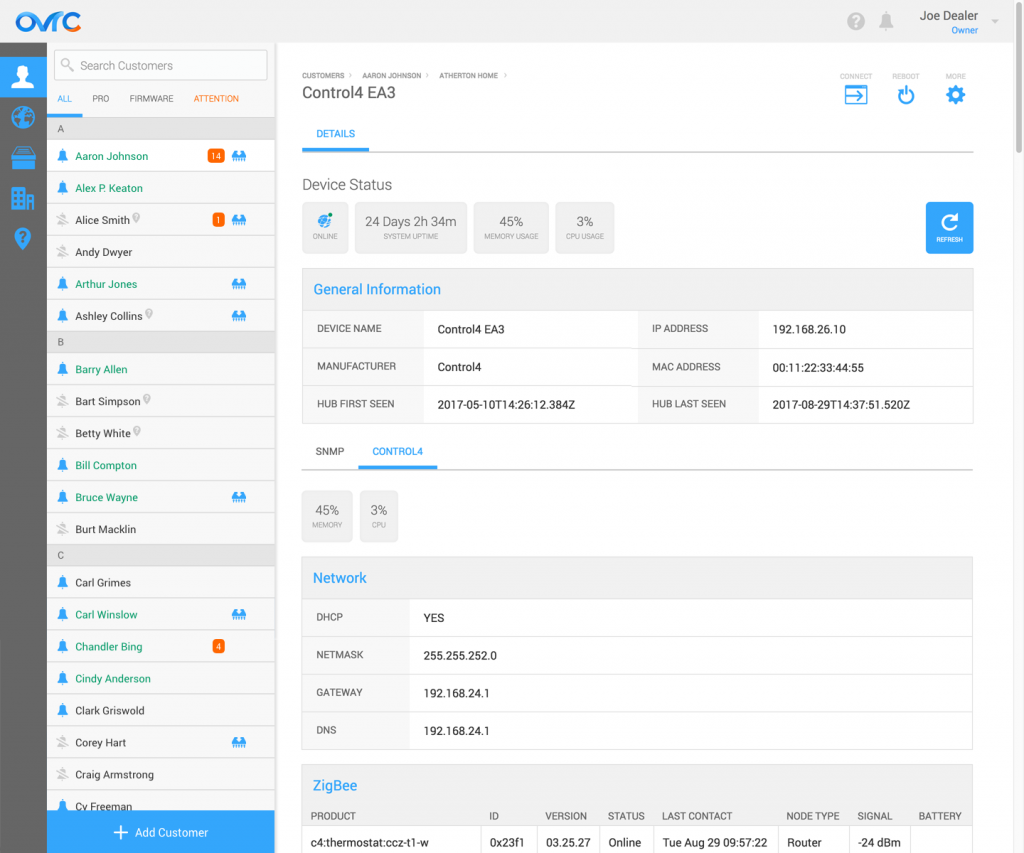
For some devices, software reboot capabilities are available from the device list or from within the device details page.
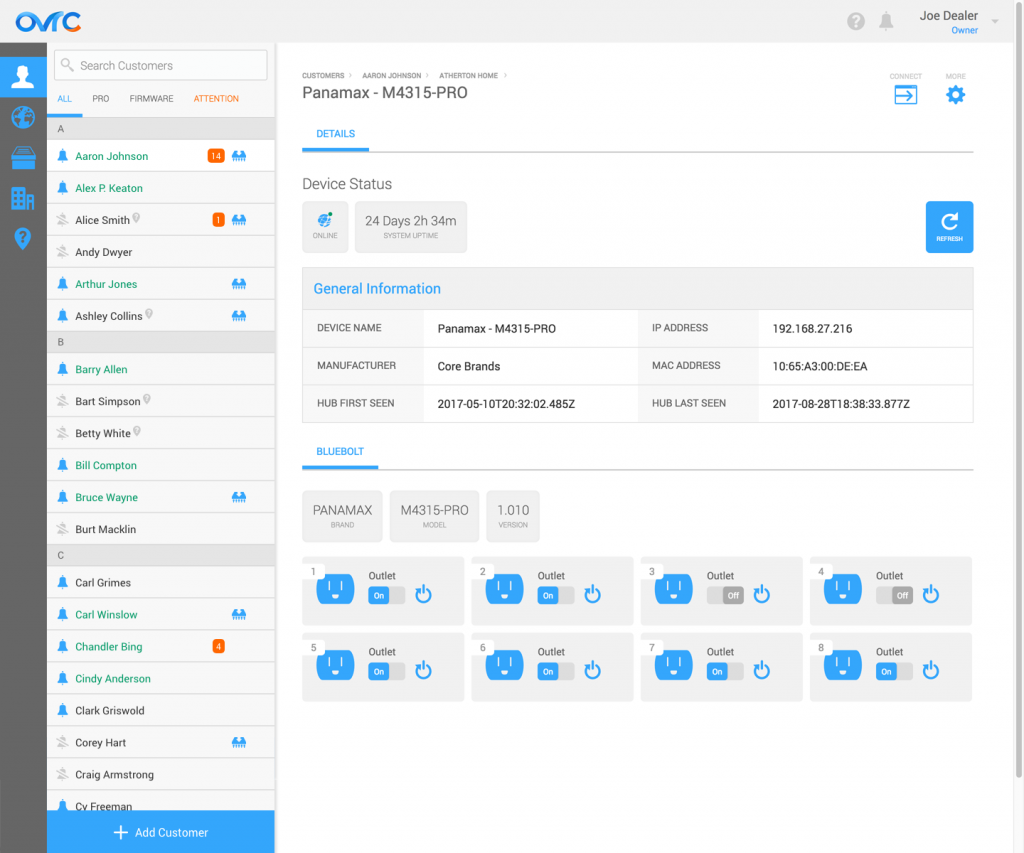
We’ve integrated additional products in this release, including Panamax BlueBOLT, Lutron RA2 and HomeWorks QS, Atlona, Google Chromecast and Google Home. For Panamax BlueBOLT products, the dealer can reboot and turn outlets on/off through OvrC.
To see the full list of all the integrated products and its details, visit the Product Integration section of the OvrC Pro product page.
Previously, we added SNMP and ONVIF standard protocols to the Hub to report back networking and surveillance information from the standard-compliant products. With this release, we’ve added PJLink protocol, a standard projector protocol that pulls in status information about inputs, volume, errors, and the lamp.
With this update, you can access more than just the local UI of a device. You can also access a device’s command line interface using SSH or Telnet from OvrC, if applicable.
In addition, we enable you to establish a secure connection between a device and any third-party software running on your remote computer with a secure URL. Examples include remotely accessing a Crestron device via Crestron Toolbox and an onsite computer via a remote desktop application.
In this release, we are launching a limited BETA for Parental Controls capabilities within OvrC Home. This includes the ability to filter content at a location, provide basic levels of cybersecurity, and allow clients to manage Wi-Fi usage for their children, either manually or on a schedule.