
Single Device Transfer
OvrC Enhancement: Auto-Claim and Device Reclaim Controls
OvrC just got even more flexible and secure with enhanced Auto-Claim Controls and a new Device Reclaim workflow. These features give integrators greater control over which devices are assigned to locations, streamline device management, and eliminate the need for support tickets or site takeovers when reclaiming hardware.
Overview
With the latest update, integrators can:
This means devices can be assigned or reassigned quickly and accurately, reducing errors and saving time.
Auto-Claim Controls
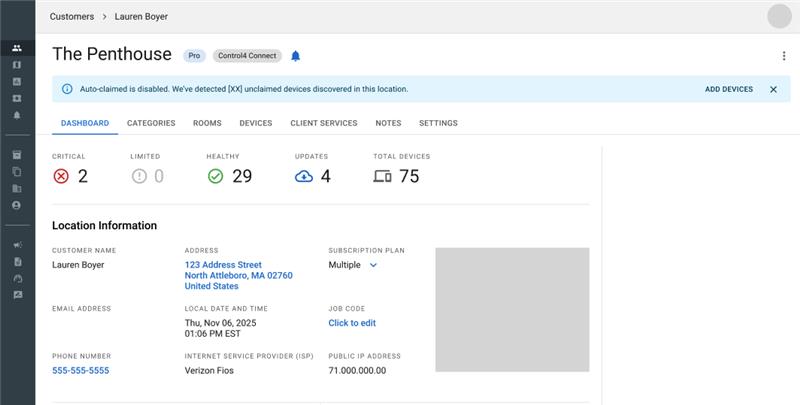
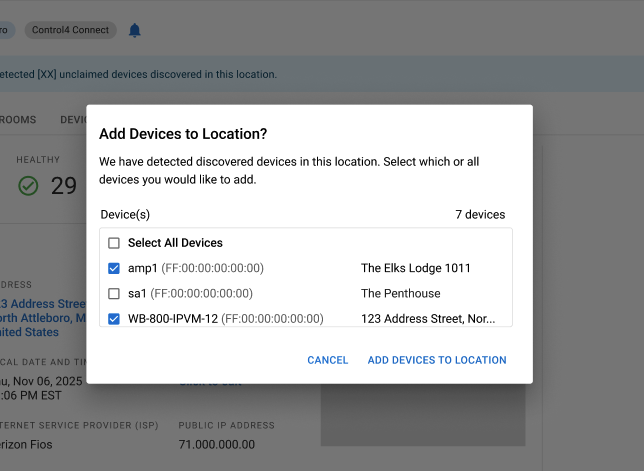
Auto-Claim automatically recognizes devices on the network and securely adds them to a location when an OvrC Pro agent is installed using validated identifiers. Now, Auto-Claim can be enabled or disabled per location. When Auto-Claim is off, OvrC Pro will still detect devices on the network, but won't claim them automatically. Instead, a banner appears in the location showing unclaimed devices with an option for integrators to manually review and claim one or more devices.
Why It Matters
Where to Find Auto-Claim
Auto-Claim settings are accessible in two places:
1. Add/Edit Location
2. Remote Management
Note: Auto-Claim is ON by default.
Device Reclaim
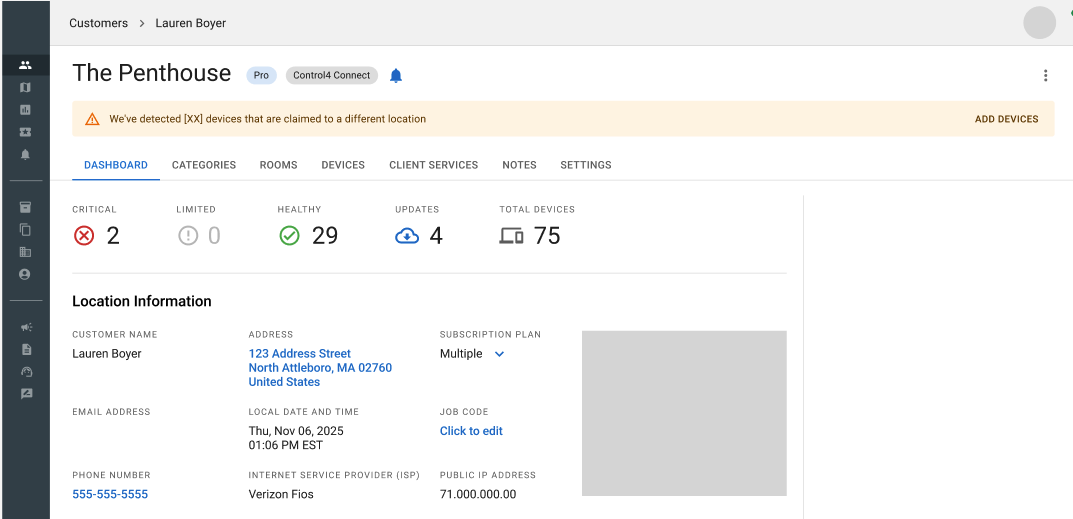
Device Reclaim makes it simple to reassign any individual device to the correct customer or location in seconds, no impact to the rest of the network and no support ticket required. When OvrC detects a device on your network that’s already claimed elsewhere, a banner appears, allowing integrators to reclaim it to the current location. You can reclaim one, many, or all applicable devices in a single step.
Note: Device Reclaim does not copy the device name, notes, or activity logs from the previous location.
Why It Matters
Want to Learn More? Visi the OvrC Manual for step-by-step guides on using Auto-Claim and Device Reclaim features.