It's been great seeing all the support for SunBrite�s 20th anniversary. To celebrate it, we are extending our giveaway for Partners to receive one of five Veranda 3 55" Outdoor Smart TVs, at a retail value of $2,900! .*
Entering is as easy as 1-2-3:
Winning entries will be drawn at random and announced on both the Snap One and SunBrite Instagram pages on August 7, 2024.
DISCLAIMER
*No purchase necessary. Contest Rule and terms and conditions apply. Valid for U.S. Snap One Partners only. Void where prohibited. This promotion is in no way sponsored, endorsed, administered or associated with the Social Platform.
Higher quality testing means higher quality products. Watch this video to get a behind-the-scenes look at how our Hardware Reliability Lab pushes our products to the limit, so they won't fail in the field.
Turn up the intensity of the big screen with the new KEF Extreme THX Certified In-Wall Theater, LS Wireless Collection Powered Speaker System, and subwoofers!
The new in-wall theater speaker is available with 3 and 5 drivers to deliver formidable THX Certified Ultra quality to home theaters as large as 3,000 cubic feet.
The new LSX wireless speakers also bring desktop games and music to life with high-fidelity sound and easy mounting for optimal performance.
Add some needed oomph to the system with the Kube MIE subwoofer . Its sealed cabinet design and contemporary look ensure it blends in with your decor while allowing the sound to stand out.
KEF C-Link Inter-Speaker Cable
Utilize the newest business-focused LH730 LED 4000-lumen projector from BenQ to bring your customers� conference spaces to life. With easy-install features like Auto Vertical keystone, Corner Fit, and Digital Shrink settings, you can quickly set up the perfect picture for your clients. The LH730 offers higher-color saturation that faithfully presents meeting presentations with clear text and vivid images. For modern presentations, BenQ has developed preset picture modes to best showcase their information. Turn to the new BenQ business projector to bring your clients state-of-the-art conference room technology.
With AVPro Edge products AV over IP technology, you can quickly and efficiently scale your audio and video solutions. Renowned for their media distribution capabilities, these AV products provide reliability, durability, and the latest technology to make life easy for you and your customers. Now AVPro Edge is available on the Snap AV Portal, so you can order everything for your projects all in one place without stopping in a store on your way to the job site.
Take your customers sound to the next level with the new Klipsch Flexus soundbars, wireless subwoofers, and surround sound speakers.
The soundbar comes in two lengths and features aluminum drivers to carry the dialog, elevate the music, and so much more.
This 10" subwoofer may have a small footprint, allowing it to fit in more spaces, but its engineered paper cone woofer provides all the depth needed to bring a scene to life. If needed, two subwoofers can be paired to a single Flexus soundbar for even more bass.
Bring in the surround sound speakers to fill out the system and your space. Thanks to flexible mounting options on walls or shelves and wireless capabilities, you can optimize installation locations.
LEGACY WEB CONNECT
Arguably, one of the most useful/powerful features in OvrC is the ability to connect remotely to a device’s UI webpage as if the technician were connected directly into the customer’s local network. This feature would allow a technician, from anywhere in the world with an internet connection, in real-time, to configure that device’s settings, test for functionality, or to troubleshoot a customer complaint.
However, the feature was fraught with issues and difficulties:
NEWLY REDESIGNED WEB CONNECT
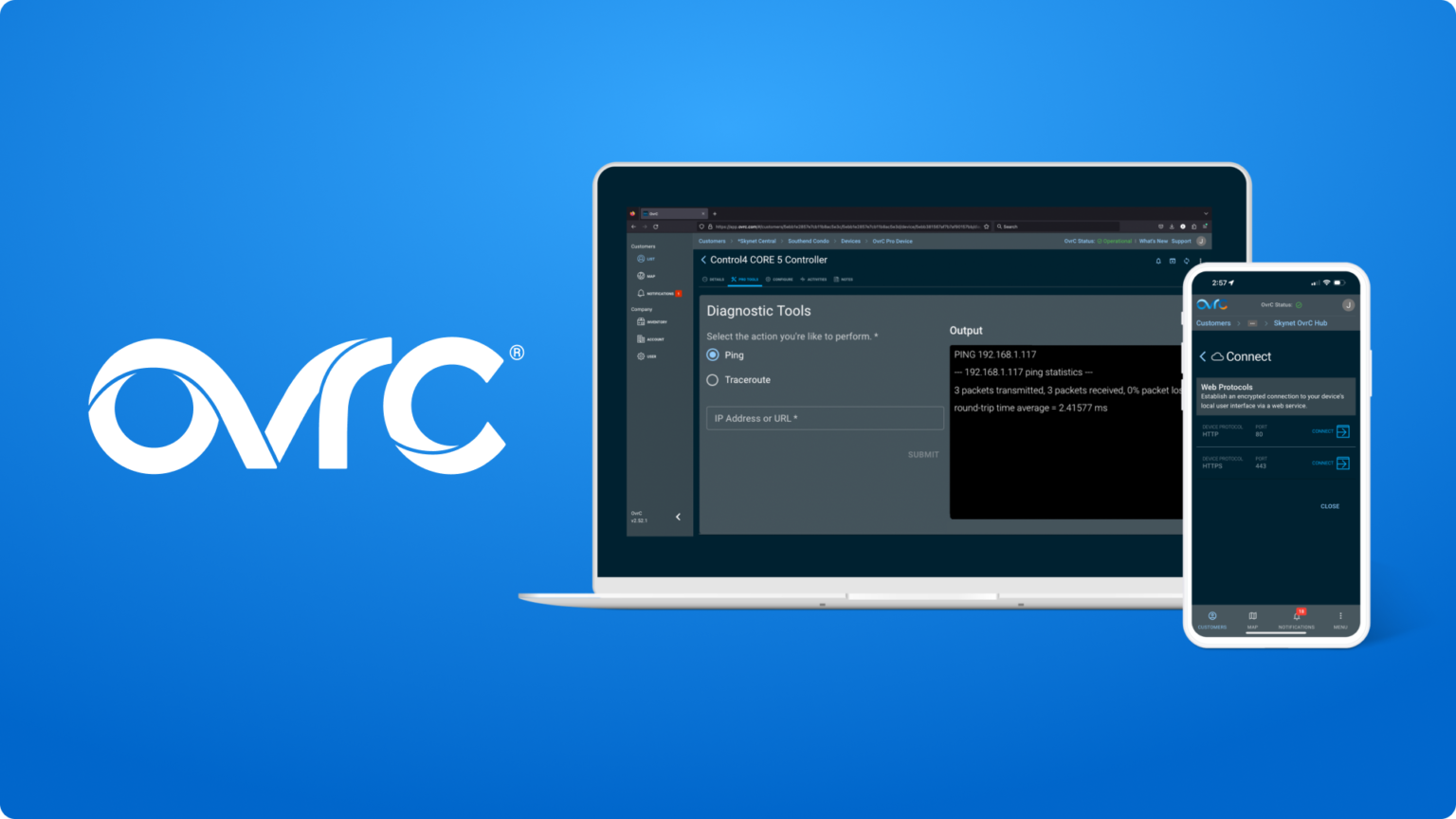
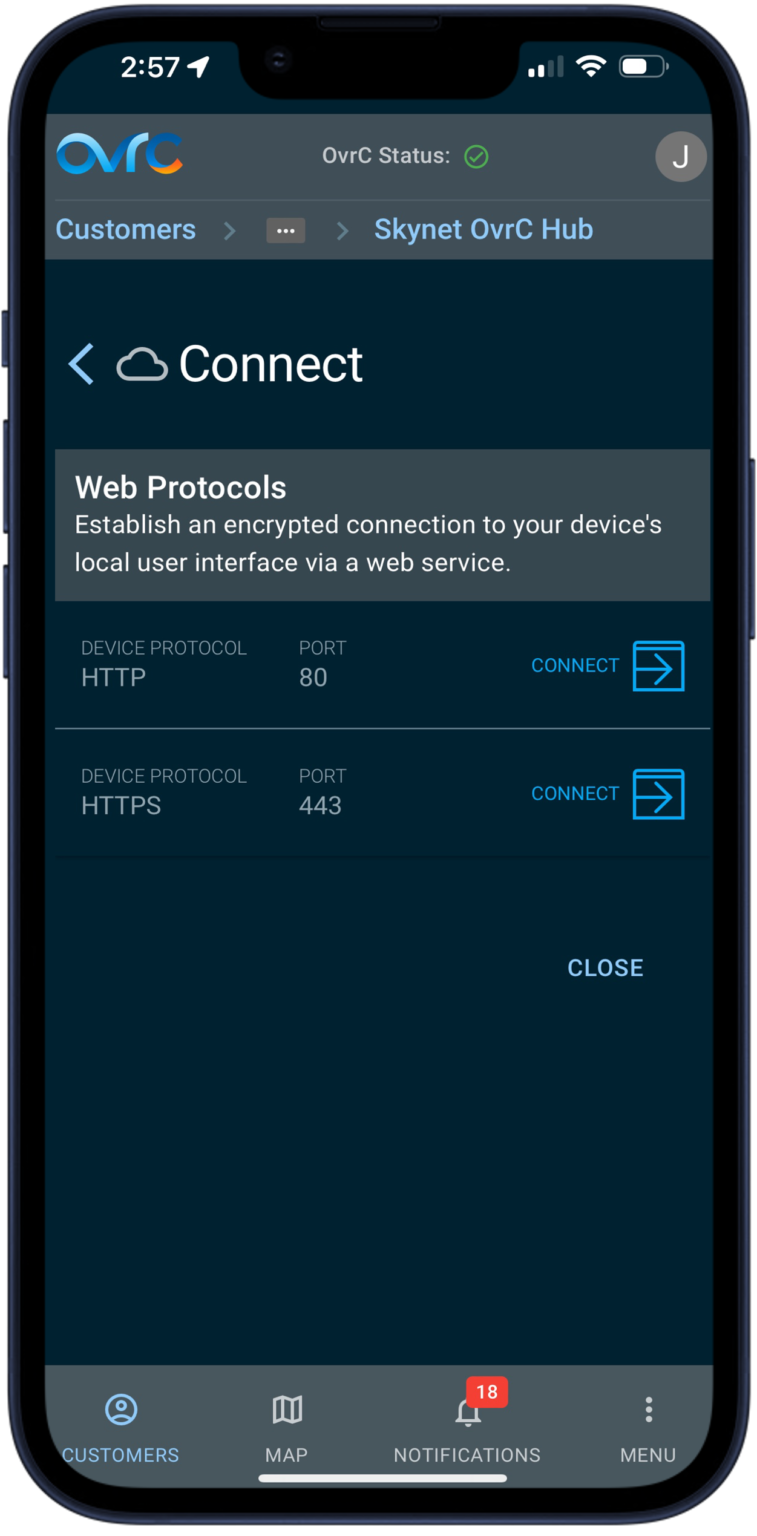
The OvrC team here at Snap One has completely redesigned the Web Connect process to leverage the existing communication pathway between the customer’s OvrC Pro Agent and the OvrC servers. This persistent connection, which is secured and authenticated, communicates using the HTTPS protocol through a standard network port: 443.
Combined with a number of bug fixes, including a resolution for the page rendering issues, and other service improvements, the redesigned Web Connect will yield higher connectivity success rates, and faster, more reliable connections.
As all the fixes were done to the backend, Partners can try out the new Web Connect experience without having to install, update nor configure.
“What’s even more positive is that with the previous mechanism, the connection would be blocked by my office firewall requiring me to VPN out to use WebConnect. With the new connection mechanism this is no longer required and seems to tunnel out without issue.” – Craig Paxman
The fine print information regarding the functionality of Web Connect in different scenarios:
The new Web Connect is faster and more reliable by avoiding SSH connections that ISPs/IT policies/firewalls would prevent, avoiding the use of cookies to improve page rendering, and minimized the number of encryption/decryption steps to reduce the risk of corruption (which is why it is not recommended to execute a device’s firmware update over Web Connect). While developing this new pathway, our teams also uncovered an resolved many other bugs and issues that diminished the Web Connect experience.
This new Web Connect pathway will be used in:
*PRO TIP: some devices provide two Web Connect options: 443 and 80. Port 443 will follow the new Web Connect path using HTTPS. Port 80 communicates over HTTP.
Web Connect through SSH is available for limited use cases for Snap One devices, specifically the Wattbox WB-700/300 and the Araknis AN-620 Switch, that have known issues using the new Web Connect pathway. Those issues will be resolved at a later date most like through a firmware update, allowing them to use the new pathway at that time.
Web Connect over UPnP is still used by some legacy OvrC-enabled devices (Wattbox WB-400/600, Wirepath cameras, and Araknis X00 devices) to establish a Web Connection over WAN. This method is viewed as a security vulnerability by some ISPs, which will block this type of traffic by default. Support for this type of remote UPnP connection is also commonly disabled in the router by default.
This communication method suffers high failure rates; Web Connect over UPnP will only be used when accessing older OvrC enabled devices where there is not an OvrC Pro agent.
PING ADDED TO PRO TOOLS
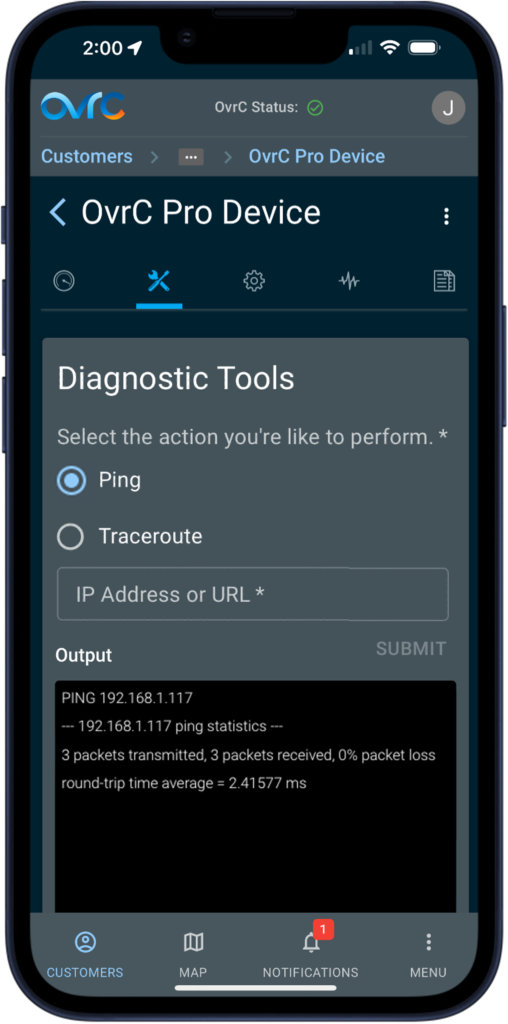
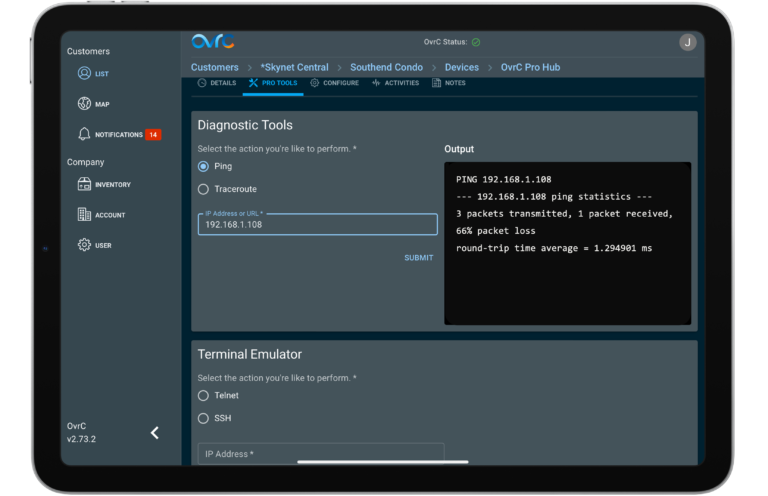
Additionally, we have implemented cloud-based Ping functionality into all OvrC Pro Agents. A network ping measures the time in milliseconds it takes to receive a response. OvrC’s secured remote connection to the Customers local network will allow Partners to:
Ping can be accessed from the Pro Tools tab of the OvrC Pro device for the Customer’s site, or from Site Settings > Additional Pro Settings > Manage.
With pro-level features and battery-powered versatility, you can depend on Ring's new Battery Doorbell Pro to keep your customers safe. The 3D motion detection gives users a clear view of visitors' travels while the full HD+ video with low-light sight and color night vision provides a crystal-clear view of what is always going on. The user-friendly Ring app issues real time alerts and control so end users can further tailor their security preferences.
The sleek new Denon DHTS218 soundbar features two built-in, down-firing subwoofers providing the depth needed to bring entertainment to life without the need for an external subwoofer. 3D audio with Dolby Atmos fills the space with clear dialogue and cinema quality bass, while Bluetooth� wireless streaming allows users to play their favorite tunes from their preferred device. When space is at a premium, but quality is non-negotiable, turn to the Denon DHTS218.
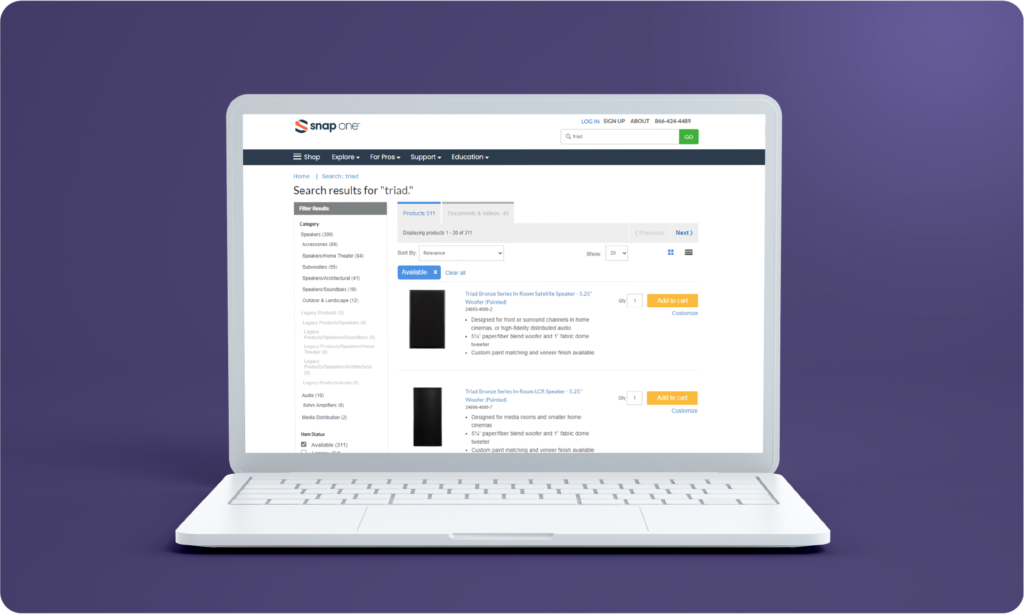
We've made it even easier to find the perfect product for your upcoming project. Our new search filter allows you to remove legacy products from your Snap One® Partner Portal search results. To use this feature, head to the "Filter Results" section on the left-hand side of your screen and look for the "Item Status" filter. From there, select "Available" to see only those products currently available for purchase. Don't worry if you're looking for support documentation for a legacy product–we've got you covered. Select "Legacy" in the "Item Status" filter to view only the products that are no longer available.