
OvrC application updates fixes bugs and improves user experience.
The latest update to OvrC addresses several requested improvements and bugs reported by our partners. Many of the improvements are focused on the recently released Wi-Fi Management feature. We listened to customer feedback and wanted to be responsive. No action is required on your part other than to enjoy the improvements and continue to report more through the User Feedback section of the app (web and mobile).
As always, we continue to evolve our product based on your feedback. Please continue to provide your thoughts and ideas to [email protected] or through the user feedback section of the web and mobile applications. Thanks!
We�re excited to launch the newest addition to the MoIP lineup�MoIP Audio. MoIP Audio uses the same technology as MoIP by breaking out audio�to distribute premium sound throughout your project without audio delay. By incorporating individual transmitters and receivers, MoIP Audio works as a point-to-point solution or as a completely scalable audio over IP solution for versatile custom audio integration on any size job.�Learn more.
Grow your outdoor business with FX Luminaire premium landscape lighting, SnapAV's newest innovative brand! Enhance outdoor gatherings, illuminate walkways, and highlight architectural details using proprietary Luxor communication, the market's most advanced lighting transformer. With Luxor, you can adjust fixture intensity, create unique themes using up to 30,000 vibrant colors, and fine-tune color palettes for holiday parties and special occasions. Plus, it's compatible with Control4 and other leading control systems.
We�re proud to announce that Allnet, a SnapAV Pro Store, is coming to Charlotte this December! Allnet stores stock the entire SnapAV product catalog, in addition to a huge selection of third-party brands including Sony, Samsung, Sonos, Klipsch, Lutron, Luxul, Eero, Ring, Yamaha, and more. Get ready now to shop and pick up products at Allnet Charlotte this December by filling out the Allnet authorization form, and we�ll get you an account number and login information within 24 hours. Learn more.
Thank you for joining us this week for the kickoff of Snap Pro Live! We hope you enjoyed learning more about all of our new products and got a chance to connect with members of our product team. For an overview of everything new announced at Snap Pro Live, watch our Leadership Keynote Address, or check out the press coverage below:
-See features on our newest solutions at Inside CI, Residential Systems, and CE Pro
-Read Residential Systems in-depth review of the new Chime Video Doorbell
-Get more info on Chime at CE Pro, Hidden Wires, and Home Theater Review
-Head over to Strata-gee for a recap of our Leadership Keynote Address
Don't forget that you can access all of our live sessions and 30+ all-new sessions now through October 30th. Head over to our app for a complete list and start watching now!
New to the Wirepath portfolio is the Cat6/6A Module and Blank Mounting Panel. Designed for use with enclosures when running bulk wire, these products provide a faster install. The Data Module's compatibility with Cat6 and Cat6A wire gives dealers high-speed data transfer rates for their customers. And the eight 110 IDC punchdowns and eight RJ-45 ports provide faster termination for a speedy and reliable install. The Blank Mounting Panel allows for keystones of different types of wire and color for better signal management while speeding up installation by eliminating the time needed to terminate RJ45 connectors on the end of the bulk wire. Both products work with all Wirepath enclosures and keystones for easy data distribution.
Introducing PCNA, the Professional Certified Network Administrator, is the only AV and automation-centric networking certification that combines guided, hands-on learning with expertly-developed, award-winning curriculum that can be completed entirely from home.
PCNA can be taken using either Pakedge or Araknis equipment. The certification's curriculum covers IEEE networking standards and practices that apply no matter which networking equipment you use.
Trainees are sent their very own network to build as they follow along with comprehensive online course work, giving pros the opportunity to participate in high-quality courses from home while also providing guided hands-on training.
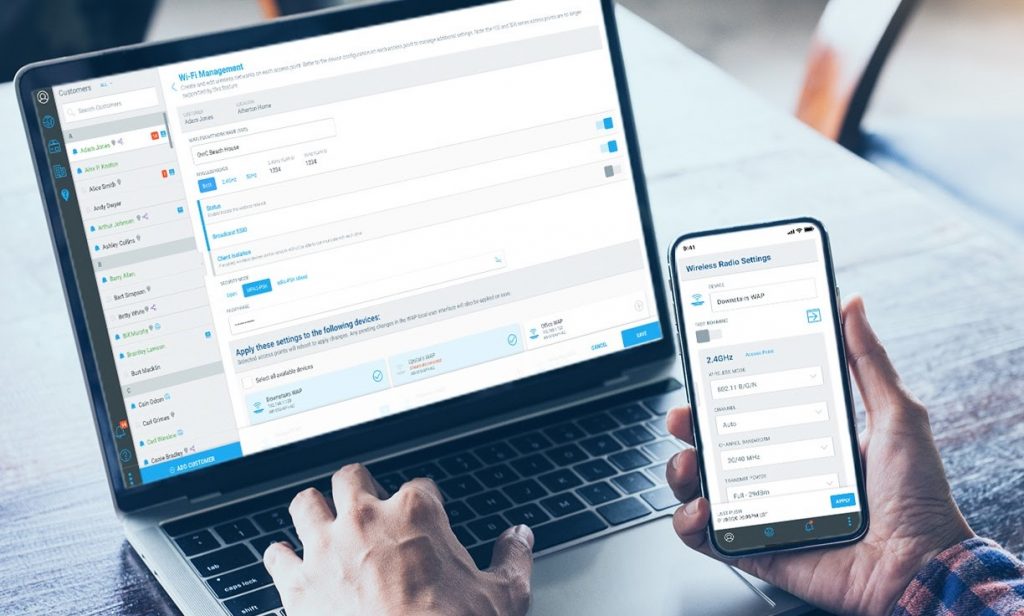
We’re excited to announce the release of OvrC Wi-Fi Management for Araknis wireless networks. OvrC Wi-Fi Management offers complete cloud configuration for multi-AP projects to manage and troubleshoot Araknis wireless networks, saving you both time and money on your next deployment.
Now, from a single, centralized view, you can add/edit networks, manage SSIDs and passwords, and configure channel, power levels, and roaming features – all from the OvrC mobile or web app. Choose to push settings to select or all APs in a single click to shave minutes – if not hours – off your setup and configuration time.
When problems occur, OvrC Wi-Fi Management enables pros to support their customers faster by delivering a single view of the Wi-Fi system, eliminating the need to open multiple tabs for each AP in your browser. View and adjust channel and power outputs to ensure all connected devices have optimal coverage to deliver the best possible performance.
Gone are the days of configuring your wireless networks with a laptop and multiple web browsers. Now, even the largest wireless installs can be quickly and completely configured from OvrC using a mobile device or single web browser.
Below is a list of all Araknis access points supported by OvrC Wi-Fi Management:
Below is a list of Araknis access points not supported by OvrC Wi-Fi Management:
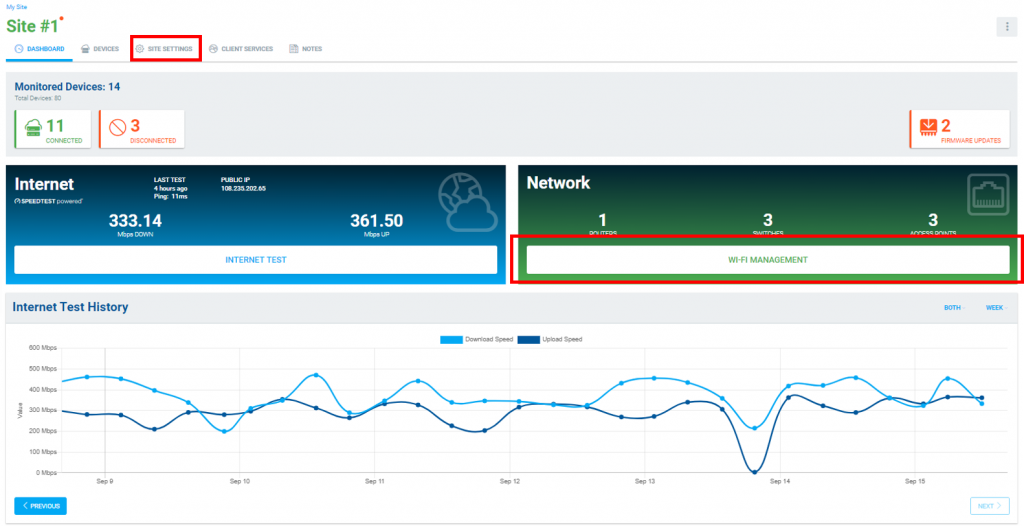
To navigate to Wi-Fi management from the main OvrC dashboard, go to “Wi-Fi Management” in the “Network” section.
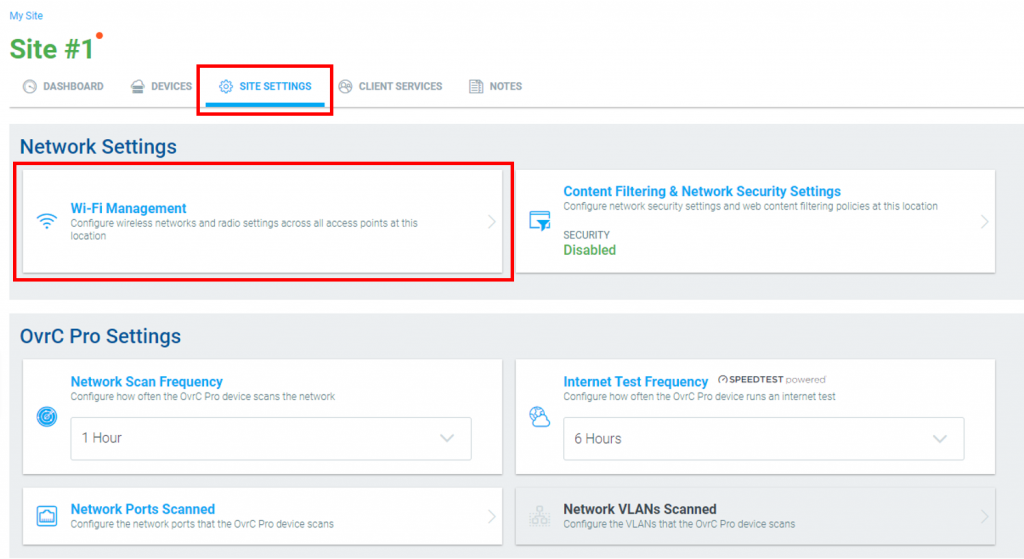
Or, select the “Site Settings” tab, then “Wi-Fi Management” under “Network Settings.”
Then, select “Get Started.”

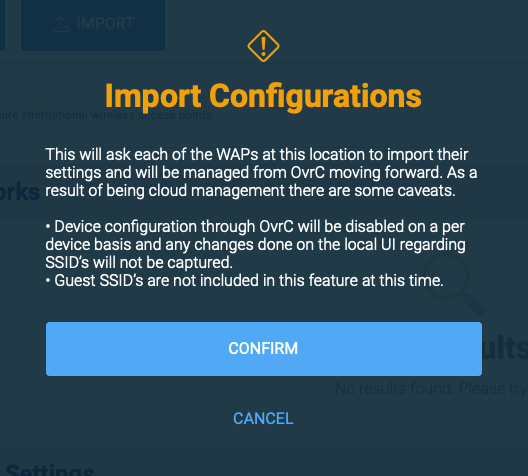
Review the notice regarding importing configurations and select “Confirm.”
Select “Add Network” to create a new network, or simply edit the existing “Araknis_initial” for new installs.
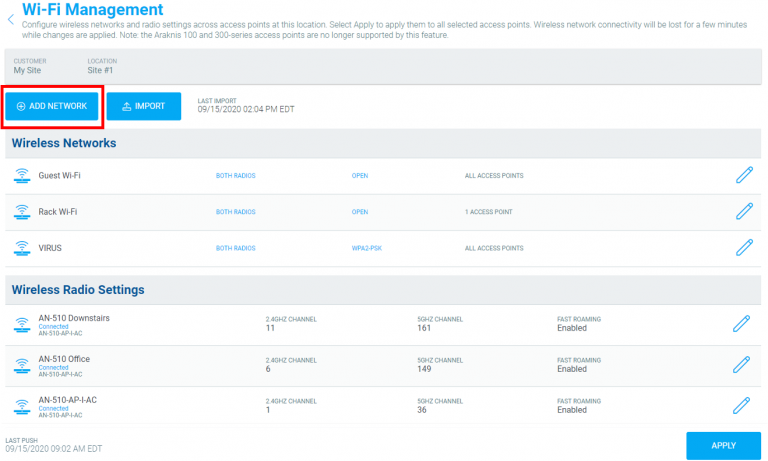
(Note: Araknis_initial can be edited or disabled but cannot be removed).
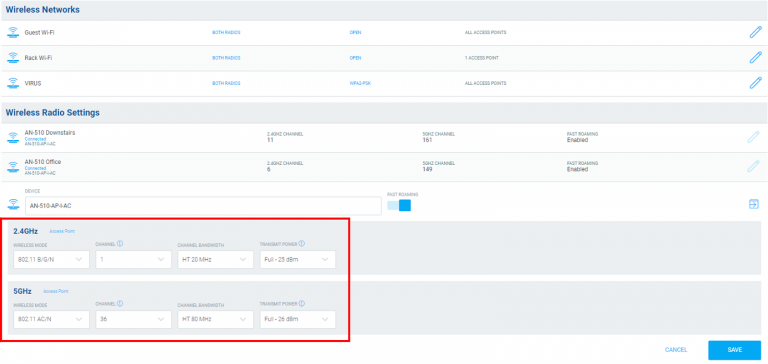
To fine tune the network after initial setup, you can adjust the radio settings for each AP for optimal coverage and performance, including wireless mode, channel, channel bandwidth, transmit power, and roaming.
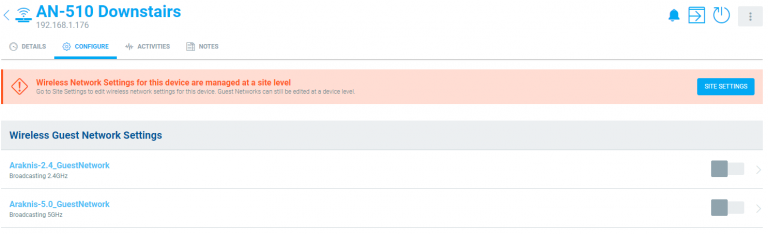
Guest SSIDs are not included in OvrC Wi-Fi Management at this time. An alternative solution to enable a guest SSID is to add a new network labeled Guest Wi-Fi and enable client isolation.

Guest SSIDs enabled on your AP on an existing site can be accessed by navigating to the individual AP under “Devices” in OvrC and configuring the individual guest SSID.
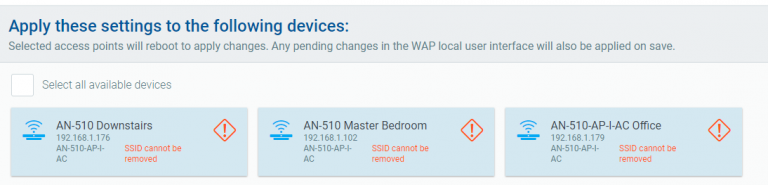
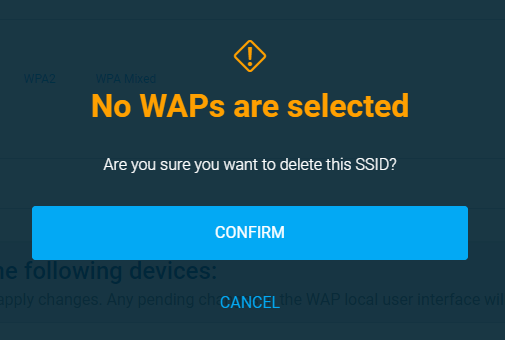
To delete an SSID, edit the “Wireless Network,” and un-select all access points assigned to this SSID. Select save.

Confirm, and apply.
Feast your ears on the all-new MEGA subs! These bad boys pump out ground-shaking bass like you've never felt from Episode, with up to 1000 watts RMS of massive power. MEGA Subs are loaded with the latest features like wireless connectivity, IP control, and a companion app to deliver massive bass that�s easy to use! Plus, you can finely tune these monsters with a full 8-band parametric EQ or by using the Automatic Room EQ for precise bass! Choose either the single-driver S-Series or the dual-driver D-Series for the perfect weapon in your home theater arsenal. Learn more.
The all-new Episode Response Amplifiers take multiroom audio to the next level, giving you a matrix switching DSP amp that delivers incredible audio in up to 8 rooms. The built-in DSP delivers clean and accurate audio with its onboard 10-band parametric EQ, which can be fine-tuned via browser UI. And with IP Control, sub outs in every zone, and easy control system integration, you've got an all-in-one solution that delivers the perfect custom audio experience in any space. Learn more.