
Designed for permanent outdoor installation in partial-sun applications, the best-selling Signature series features the time-tested weatherproofing, safety, and performance that custom integrators trust. This TV also includes a commercial-grade, high-brightness 4K UHD screen with anti-glare technology, OptiView� preconfigured settings optimized for the outdoors, and built-in HDBaseT, features largely absent from other outdoor televisions. Check it out.
The new PE-VSX-LX103 features 5.2.2ch surround sound with Dolby Atmos� and DTS:X� optimized by MCACC, and spectacular viewing by Ultra HD video, HDR10, HLG, and Dolby Vision� - bringing the thrills of the movie theater to your home. Find out more.
Watch this short video for important details on recent product launches, or click the links below to see the featured products directly.Lutron RA2 SelectOvrC UpdatesSunBrite 75" Signature TVBinary B6A Active HDMI CablesPlatinum Tools
For a limited time-we are discounting out Episode 150T thin-bezel in-ceiling speakers. These low-cost, entry level speakers deliver great sound and are ideal for production builders with large-scale projects. Compatible with Episode accessories and feature premium construction and install-friendly features you'll love. Check them out.
Lutron and SnapAV are changing smart lighting control. Together, we've created an all-new RA2 Select Main Repeater with native OvrC integration and this exclusive model is only available at SnapAV, along with the rest of the RA2 Select system. Check out the entire line
In this release, dealers could take snapshots from Luma IP cameras in OvrC and get access to number of significant enhancements to OvrC Pro, including the ability to control PoE outlets on non-SnapAV switches, and reboot projectors that use the standard PJLink protocol.
With a new firmware update for the Luma IP cameras, dealers could now take a snapshot from OvrC mobile or desktop with a click of a button. This provides integrators a quick method to check the field of view during installation or check on a camera’s view during a support call. No need to open any ports or leave your OvrC dashboard during troubleshooting.
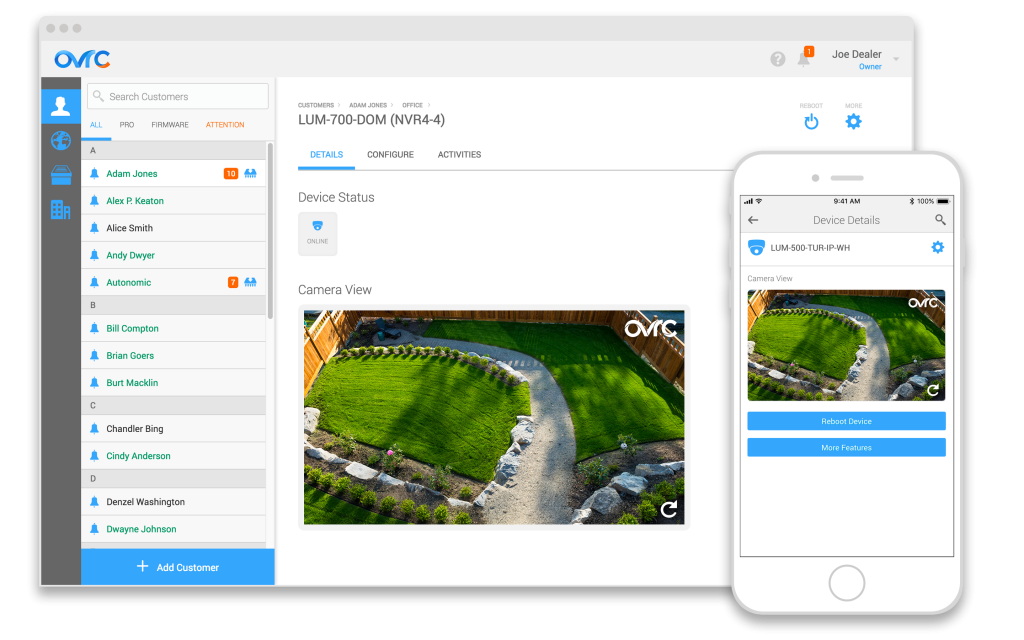
Ever since our initial launch of OvrC Pro, we continue to evolve the product with additional product integrations and troubleshooting tools based on your feedback. This release includes a number of really powerful features that are critical for troubleshooting networks.
We all know that rebooting IP devices resolves problems 80% of the time, so the ability to reboot devices is a critical capability in your troubleshooting arsenal. In this release, we are extending your ability to reboot PoE devices connected to non-Araknis PoE switches through the OvrC Hub. No additional setup or configuration required. Just update OvrC Hub to the latest firmware version, run a new scan, and click the switches on the network to see the new features.
The switches that will work for this varies by how the manufacturer has implemented SNMP, but we have tested and validated across the following brand/models. It is likely that many other models will work as is, but if it doesn’t, we encourage you to provide feedback to [email protected] so we could integrate them in the future releases.
By the way, in case you missed the last release, OvrC Pro also supports rebooting outlets on Panamax PDUs!
We revisited some of the features and product integrations that we’ve already enabled to make them even better. Here are a few updates:
As always, we continue to evolve our product based on your feedback. Please continue to provide your thoughts and ideas to [email protected]. Thanks!
The new training tab offers everything from answers to common tech support issues to category specific webinars. Check it out.
Spring is just around the corner, which means it�s time to gear up for outdoor installations. This season is about more than selling products, it�s about selling a complete outdoor experience. That�s why we�ve provided convenient sales tools on outdoor audio, video and networking. Learn more about the complete outdoor experience.
I seem to regularly find myself the nerd on call for friends and family many of you can probably empathize. Now that spring has sprung here in the southeast, it's the time of year they start asking all sorts of questions about outdoor technology: How much does an outdoor TV cost? How can I put speakers over here? Can I get my Wi-Fi to reach the patio? Will it work with [insert favorite streaming service here]? And the list goes on read full blog post
We updated our pricing list on February 9th, 2018, so please download the latest version from our website. Our pricing list is available in a range of formats, including Excel, D Tools, and Bidmagic.