
Offer a wider selection of options to provide a bespoke solution to customers. Select the Touch Display
for a more modern feel, build in the 3 Module Mount Frame for additional functionality, recommend
the Wedge Backplate for a better viewing angle, and specify the Tamper Switch and Security Relay for a
more secure install. Plus, the 31 newly available individual components are available a? la carte, making
replacements and repairs easier than ever. Learn more
Now available are new Pico Paddles to control and integrate with the Lutron Caseta, RA 2 Select, RadioRA 3, and HomeWorks. Pair the paddles with your existing dimmer to add even more flexibility and control over the space, no smart hub required.
Lutron Claro Smart Dimmer Switch 3-Way Kit with Pico Paddle Remote
Lutron Diva Smart Dimmer Switch 3-Way Kit with Pico Paddle Remote
Customers expect better, more reliable experiences from their smart living systems. Integrators want greater, more efficient business profitability, and to get more time back in their day.
We saw an opportunity to better serve both communities and create meaningful change. Our goal was to provide an improved customer experience while driving growth in our Partners� businesses.
We did the research. We listened to feedback from customers and collaborated with Partners like you.
Today, we are proud to announce two new solutions to the market: Control4 Connect, and Control4 Assist.��
Win more projects with reduced pricing on select networking solutions from Araknis and Access Networks! We are confident these price reductions will enable you to win more projects � and remember that every dollar you spend on these products qualifies for 3X points in the Partner rewards program.
At Snap One, we believe in supporting our Partners to deliver exceptional end-customer experiences, while helping you build stronger businesses.
We've been working with Partners like you behind the scenes for over a year to develop new ways to accomplish this.
U.S. Control4 Partners can join us on January 18, 2024, 11 a.m. EST
for an online announcement, you and your team will not want to miss!
AI Enhancement and Bug Fixes
The newest Luma firmware update for the X20 220, 420, and 520 series cameras delivers several performance improvements and enhanced AI.
The full list of updates include:
Learn more about the full list of additional benefits and improvements to the Luma line.
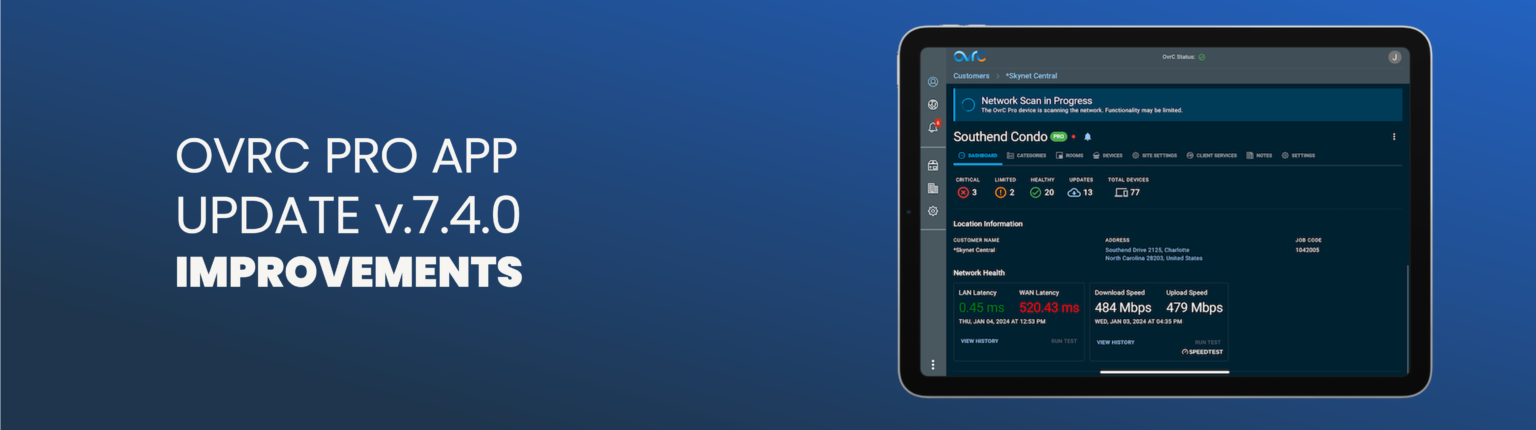
Snap One is excited to announce the launch of OvrC Pro App v7.4.0, an engineering effort that features a number of updates to the back-end processes and infrastructure, and will provide noticeable, real-world improvements. This launch is a continuation of Snap One’s mission to provide the best, fastest, most powerful, and easiest to use tools for our Partners. For this OvrC update, engineering development focused on improving the Partner experience within OvrC, with special attention to Partner-requested enhancements.
The highlights for this update include:
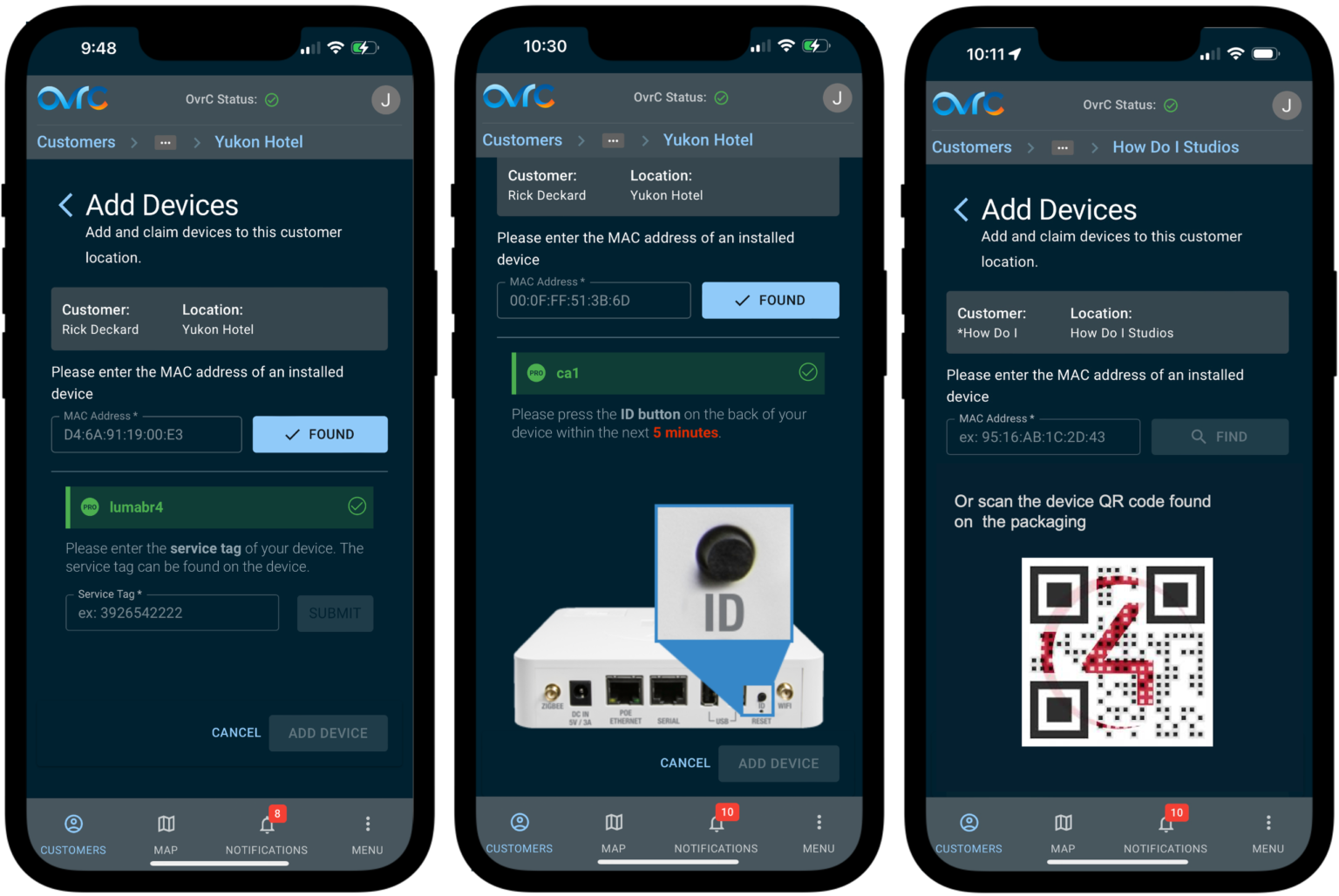
OvrC now validates the MAC address of discovered devices by matching the device list in the OvrC Pro agent. This provides more accurate monitoring on sites with frequently changing IP addresses.
Previous versions of the Pro Agent performed a health check every 5 minutes, regardless of the network size. As a result, small networks had a delay when notifying when the connected state changed. For larger networks, the health check scan may not have been completed before the next was triggered. This resulted in devices showing as disconnected when they were functioning as expected. OvrC Pro App version 7.4.0 now waits for the previous health check to complete before triggering the next one, for a more accurate connected state reading.
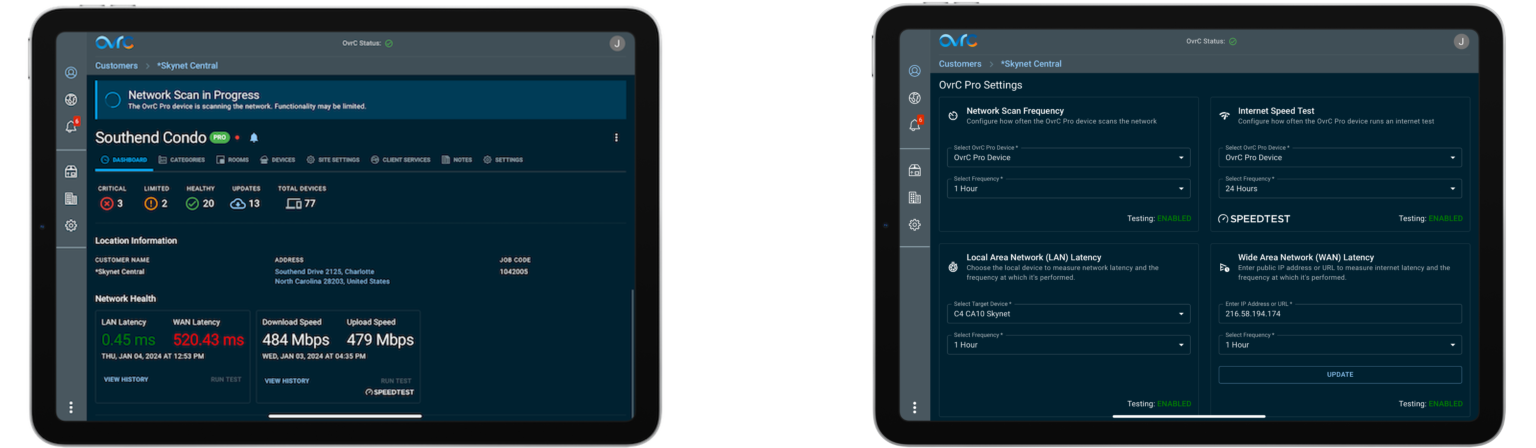
With these important features moving to the OvrC cloud, access to the local UI of the OvrC Pro agent will no longer be needed and will be removed in a future update to secure the local device and protect the privacy of the customer. For the OvrC Pro Hub, port 80 was used. For devices like routers and Control4 controllers that are serving as the OvrC Pro agent, this interface was typically found on port 60000 when accessing the device directly. These agent devices also serve a local UI on port 80 (http) or 443 (https) and there will be no impact to that local interface.
COMING SOON
With the new eero Max 7, you can provide users with the lightning-fast internet speeds of Wi-Fi 7 technology. With two 10 GbE ports, and patented TrueMesh coverage, customers get ultra-low latency, capacity for up to 200+ devices, and coverage for up to 7,500 square feet. Setup and monitoring are a breeze for you and your customers with eero's free app.� Learn more
The latest Control4® OS auto-update continues elevating user experience by introducing a host of intuitive functionalities and UI enhancements through the Control4 App.
• The Lighting Color Selector page has been updated with a more intuitive layout, separate selectors for color, saturation, and brightness, providing more specific control to make the perfect selection
• The Settings Page has undergone a complete redesign, embracing our new design language that was initially introduced with the Halo remotes. This redesign enhances the user experience, ensuring easier navigation and a more intuitive interface for your customers. Additionally, it paves the way for the seamless integration of the Customer Empowerment Suite
Learn More:
Stick Up Pro Cams from Ring quickly bring peace of mind to customers. With features like 1080p picture clarity, 2-way audio, Color Night Vision, and 3D Motion Detection, customers can check the inside and outside areas of their properties. Between the easy-to-install rechargeable battery model and the 24/7-powered hard wired version, there's a Stick Up Pro Cam to fit your needs.