Security researchers have recently published a wireless exploit titled �Key Reinstallation Attacks� (abbreviated as KRACK), indicating users of any wireless device currently face a severe security risk.This vulnerability affects any device that uses the Wireless Protected Access 2 (WPA2) security mechanism. WPA2 is currently the industry�s most popular and recommended security standard for 802.11 wireless networks.In some cases, this vulnerability may allow an attacker to manipulate data on a Wi-Fi network, or inject new data. This means hackers could steal user passwords and financial data, or even manipulate commands to wire money to themselves.Please note: an attacker needs to be physically in range of a target Wi-Fi network to carry out the attacks.To prevent possible attacks, you must update affected devices as soon as security updates become available.To reiterate, every Wi-Fi device is affected by this vulnerability. This includes end-user devices such as smartphones, tablets, and laptops; as well as IoT products like smart thermostats, fridges, locks, etc.SnapAV Affected ProductsBelow are affected SnapAV products and what we are doing to fix the problem.Araknis Networks - Wireless Access PointsWe are currently working on a firmware update, which will be available on SnapAV�s website, as well as OvrC. If you have claimed the access points on OvrC, the fix will be available as a firmware update, which can be applied to all customers remotely.If you do NOT have their access points claimed on OvrC, you need to either
Autonomic - 1e Music StreamerWe are currently working on a firmware update, which will be available on SnapAV�s website.Next Steps for YouAs mentioned above, we are currently working on a fix for all SnapAV Wi-Fi products. Please be on the lookout for further communications in the coming weeks as one is tested and validated.In the meantime, you can take the following steps to help reduce your customers� risk when using Araknis access points:
What to Tell Your CustomersIf customers inquire about the KRACK wireless exploit, remind them that it affects their mobile devices and IoT devices on any network they connect to. They should use wireless networks with caution until each device manufacturer issues an update and it has been applied.Therefore, they should take these defensive steps:
Further InformationIf you have any questions or concerns, please contact Customer Support at 866-424-4489.
We have created a narrower VESA pattern outside the normal square version on select mounts to fit thinner TVs from popular TV manufacturers. Check them out!SM-T-M/LSM-F-M/LSM-RAZOR-ART1-MSM-RAZOR-ART2-LSM-CS-ART1-MSM-CS-ART2-LSM-VM-ART1-IW-L
Watch this short video for important details on recent product launches, or click the links below to see the featured products directly.Atlona Conferencing FS Series Racks 350 Nearus Camera Episode Black Grilles
Redesigned with a versatile DC fan, our popular Strong FS Series racks deliver noiseless cooling and custom storage to any job. Find out more here.
Available in both square and round options, these grilles are perfect for dark ceiling and feature an installer-friendly magnetic design. Check them out.
Our revamped Rack Builder was designed to make you look like a Rockstar! You�ll be able to Design, Plan, and Implement rack installs or bid proposals without missing a beat. Try Rack Builder Now.
Watch this short video for important details on recent product launches, or click the links below to see the featured products directly.
OvrC Release - September
Araknis Outdoor WAP
Araknis Compact Switches
Now available for Huddle Rooms, Classrooms, Small Offices & Everything In Between.
A new firmware update is available for all Luma NVRs and IP cameras and can be found on the support tab of each product or by clicking the links below: NVR Firmware
IP Camera Firmware
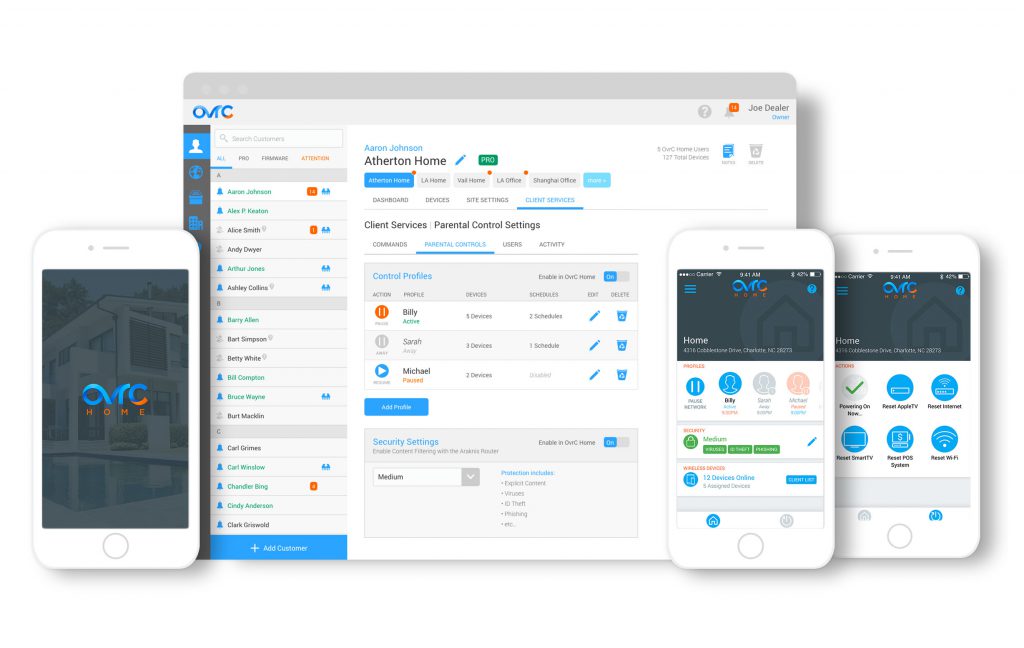
Celebrating a year since the launch of OvrC Pro, this major update on 9/12/17 provides dealers with enhanced product integrations and advanced ways to access devices. In addition, we are launching a BETA program for Parental Controls capabilities via OvrC Home. Learn how to sign up.
Over the past year, we have continually added new product integrations and features to OvrC Pro, but most of that was only accessible in the local UI of the Hub. With this update, almost all capabilities will be natively accessible to dealers in OvrC desktop and mobile.
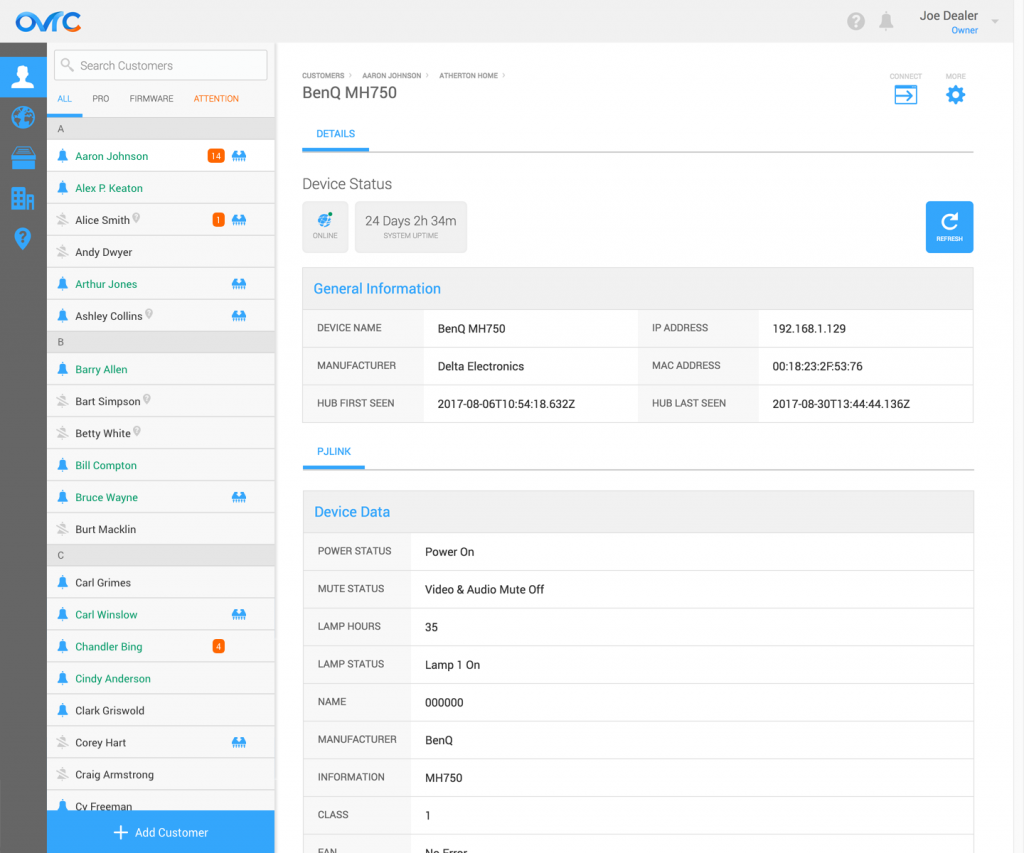
Non-SnapAV products now have their own device detail pages, like that of SnapAV products. All products include Device Status and General Information, but if they have more advanced integrations, the device icon will have a green dot next to the icon on the Device List and the additional info will show up as various tabs under the General Information table.
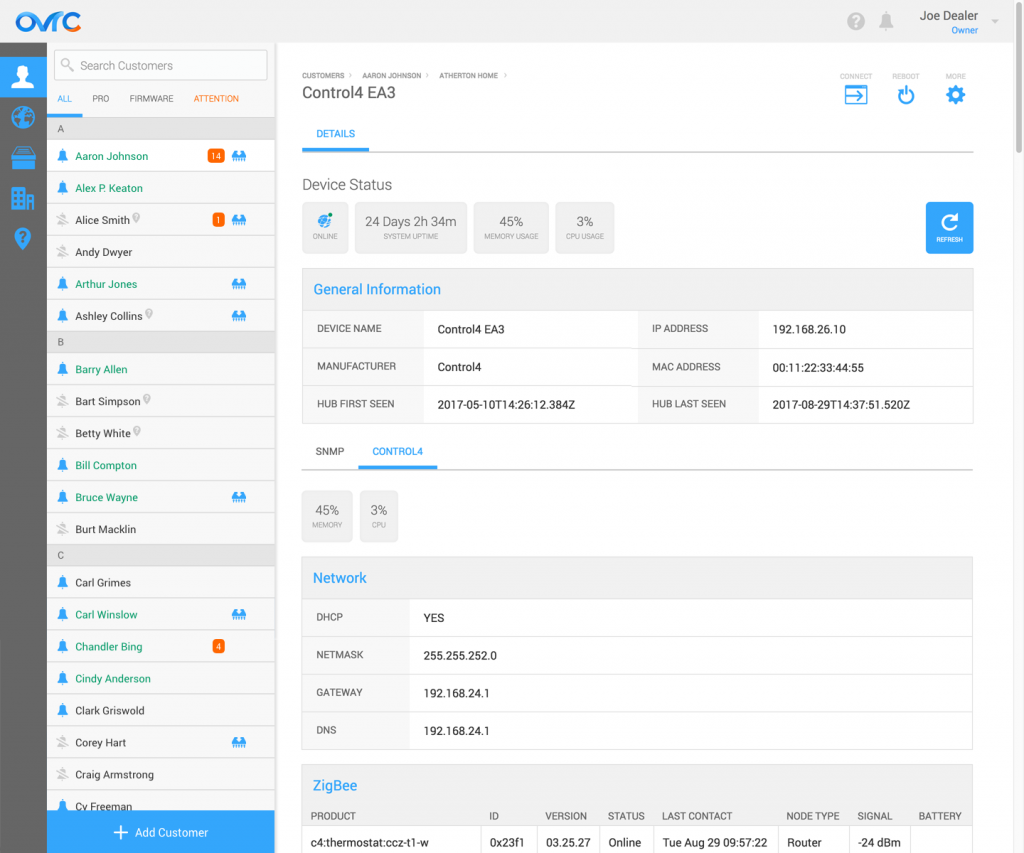
For some devices, software reboot capabilities are available from the device list or from within the device details page.
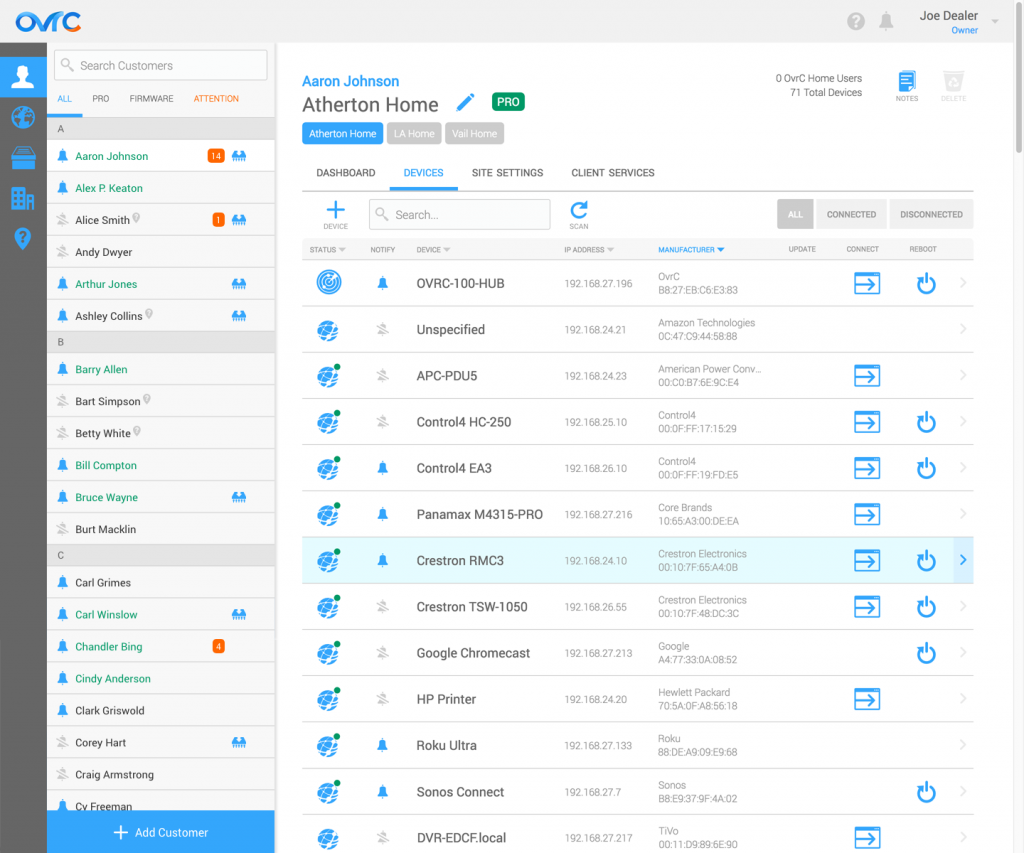
We’ve integrated additional products in this release, including Panamax BlueBOLT, Lutron RA2 and HomeWorks QS, Atlona, Google Chromecast and Google Home. For Panamax BlueBOLT products, the dealer can reboot and turn outlets on/off through OvrC.
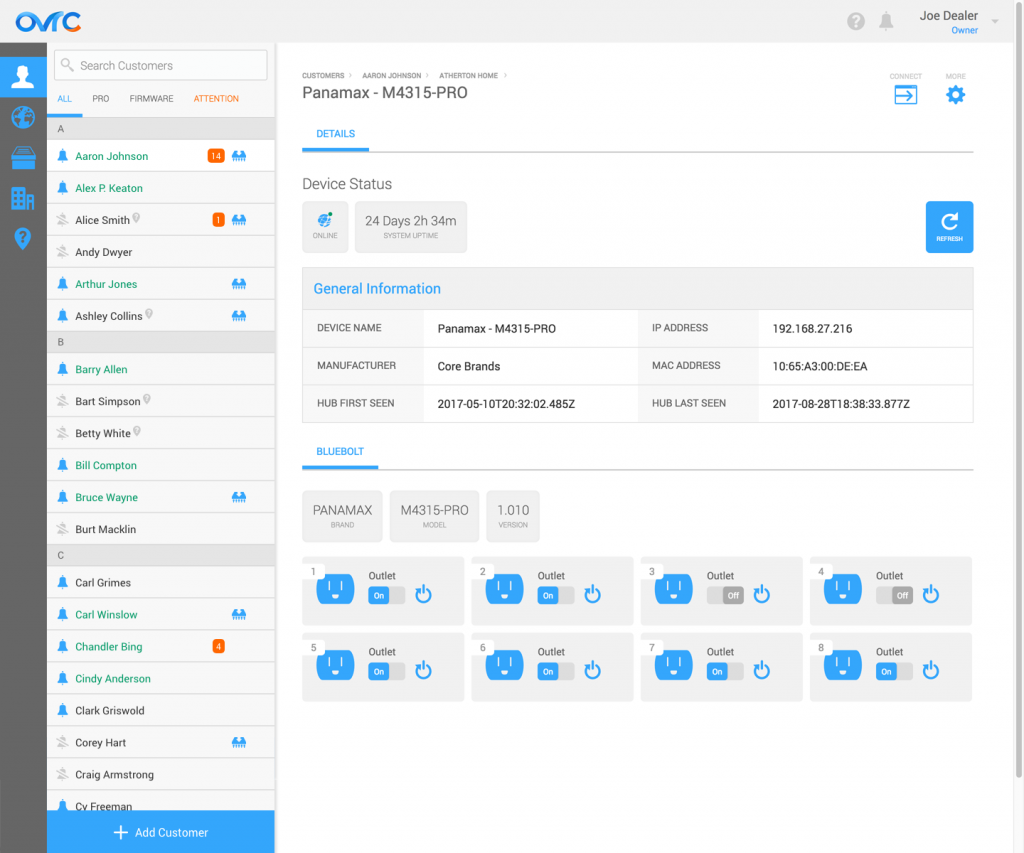
To see the full list of all the integrated products and its details, visit the Product Integration section of the OvrC Pro product page.
Previously, we added SNMP and ONVIF standard protocols to the Hub to report back networking and surveillance information from the standard-compliant products. With this release, we’ve added PJLink protocol, a standard projector protocol that pulls in status information about inputs, volume, errors, and the lamp.
With this update, you can access more than just the local UI of a device. You can also access a device’s command line interface using SSH or Telnet from OvrC, if applicable.
In addition, we enable you to establish a secure connection between a device and any third-party software running on your remote computer with a secure URL. Examples include remotely accessing a Crestron device via Crestron Toolbox and an onsite computer via a remote desktop application.
In this release, we are launching a limited BETA for Parental Controls capabilities within OvrC Home. This includes the ability to filter content at a location, provide basic levels of cybersecurity, and allow clients to manage Wi-Fi usage for their children, either manually or on a schedule.